Free online Text Art Generator! Convert images into ASCII, emoji, and symbol art. Copy and paste cool, creative text designs instantly for social media and profiles.
Text Art Generator: Convert Images to ASCII, Emoji & Symbol Art Online
Unlock your creativity with our free Text Art Generator, the ultimate online tool for transforming any image into stunning ASCII, emoji, or symbol art. Whether it’s a selfie, logo, cartoon, or photo, our generator instantly converts it into colorful and unique text art that you can copy, share, and display anywhere.
No design skills or software downloads are needed—everything happens directly in your browser, fast, free, and easy. Perfect for social media, messaging apps, forums, or just for fun!
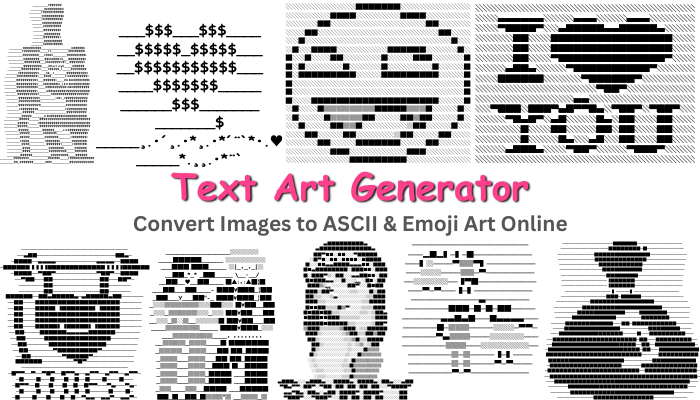
Features of Our Text Art Generator
Our tool is designed to be simple yet powerful, offering a wide range of options:
- Instant Conversion: Transform images into ASCII, emoji, or symbol art in seconds.
- Supports Any Image: Works with selfies, memes, logos, cartoons, and nature photos.
- Copy & Share Easily: One-click copy and paste functionality for WhatsApp, Instagram, Facebook, Discord, or text messages.
- No Downloads Required: Fully browser-based—no installation needed.
- Free & Unlimited: Create as many text arts as you want without paying a cent.
- Unique Text Art Styles: Add flair to your posts, chats, and comments with creative text patterns.
- Upload or Paste Images: Upload from your device or paste images directly from your clipboard.
How to Use the Text Art Generator
Creating your own ASCII or text art is simple:
- Upload Your Image: Click the upload button and select any photo from your device.
- Example: Upload a photo of your favorite cartoon character.
- Instant Conversion: The generator converts your image into colorful text art automatically.
- Example: Your cartoon image turns into a unique combination of 🟩🟦⬜🟥 representing the original.
- Copy & Share: Click the “Copy Result” button to paste your text art anywhere online.
- Example: Paste it into WhatsApp, Instagram, Facebook, or Discord, and it keeps the style intact.
- Reset & Try Again: Want to create another? Click reset and upload a new image.
- Example: Make ASCII art from a selfie or logo next.
- Paste Image Option: If your image is in the clipboard, use the “Paste Image” button to convert it instantly.
Why Choose Our Text Art Generator?
While there are many online tools, our Text Art Generator stands out because it is:
- Fast & Reliable: Get results in seconds without lag.
- User-Friendly: Simple interface designed for all ages and skill levels.
- Creative & Fun: Generate art that makes your messages, posts, or social media content unique and eye-catching.
- Versatile: Works for ASCII art, emoji art, or symbolic designs.
- Fully Free: No registration, hidden charges, or limits.
Perfect For
- Social Media Posts: Stand out on Instagram, Facebook, or Twitter.
- Messaging Apps: Send fun text art in WhatsApp, Discord, or Messenger.
- Creative Projects: Enhance presentations, blogs, or forums with unique text designs.
- Personal Fun: Turn selfies, logos, or memes into colorful ASCII or emoji art.
Conclusion
Our Text Art Generator is the easiest and most creative way to convert any image into ASCII, emoji, or symbol art online. It’s free, instant, and perfect for social sharing.
Start creating now—upload, convert, copy, and share your amazing text art with friends, family, and followers!